

Skip to content

Play, puzzles & drawing with Miu

Mèo Tò Mò

A little curiosity. A world to color.

  • iPhone
  • iPad
  • iOS 17+
  • Vietnamese
Design preview: Mèo Tò Mò
11
games
48
journey levels
48
coloring pages

Mèo Tò Mò

A little world to explore with Miu

An illustrated introduction using design previews and in-app artwork. Explore Miu’s world, games and coloring corner in about 25 seconds.

Read the video description

Mèo Tò Mò: color, listen and play with Miu. A Vietnamese-language app for iPhone and iPad with offline play.

The journey has six chapters, 48 levels and stickers to collect. The video uses design previews of Miu’s home, the map and the find-object game to introduce 11 games with three practice levels each.

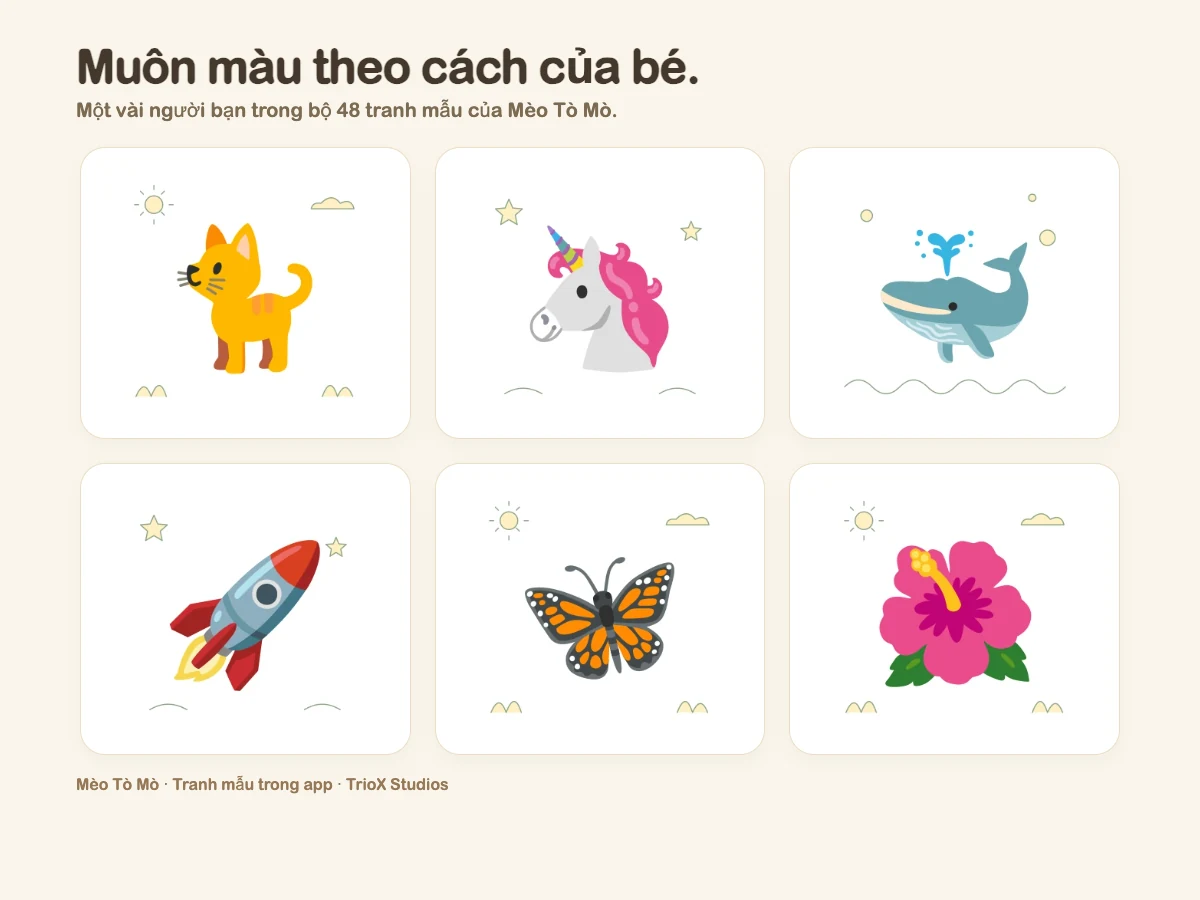
The drawing corner has 48 coloring pages and a blank canvas. The video shows a few included designs: a cat, unicorn, whale, rocket, butterfly and flower. Drawings are saved on the device.

The current version has no ads or accounts. Available on the App Store. This is an illustrated design preview rather than a recording of device interaction.

Artwork credits & licenses

A closer look

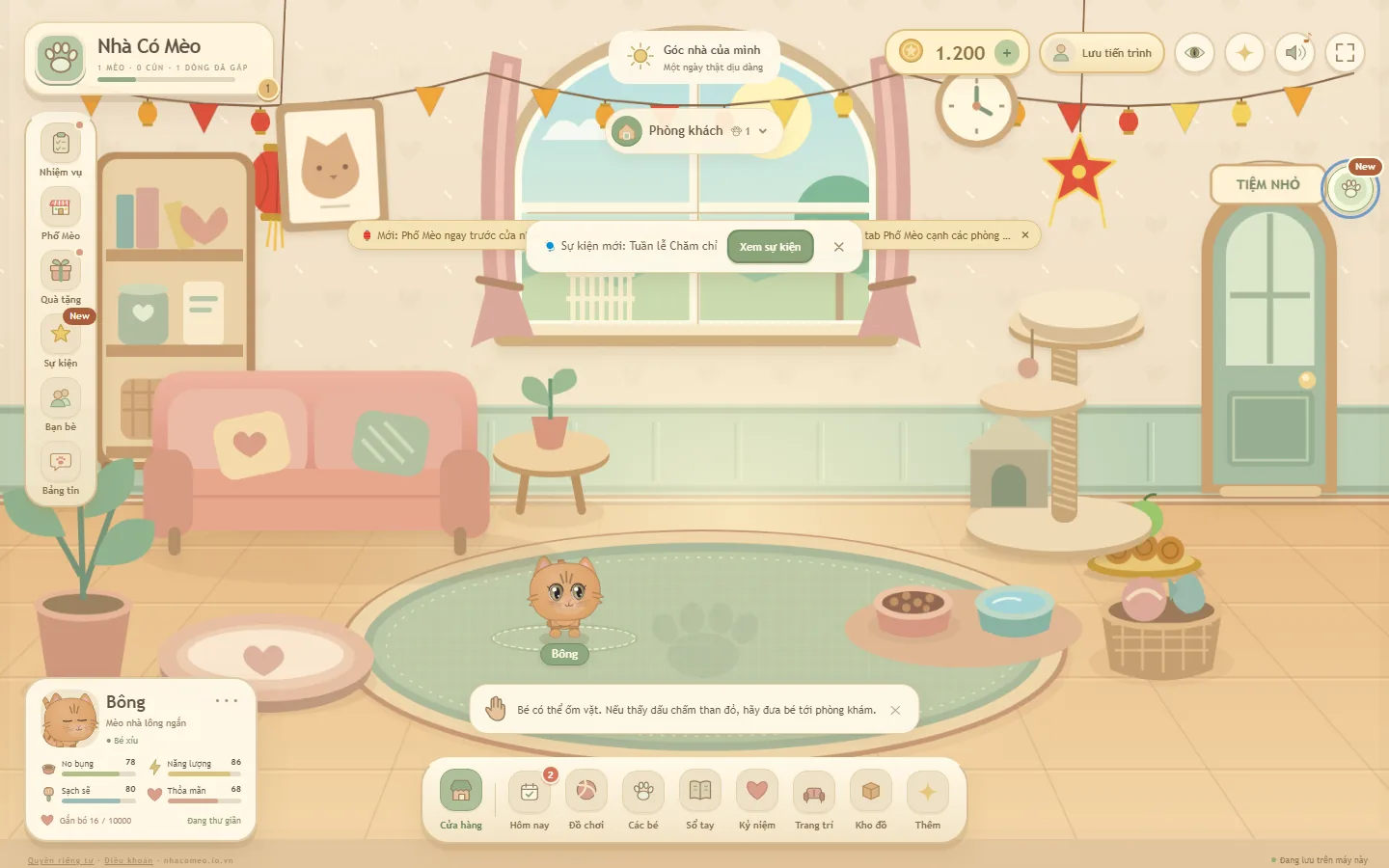
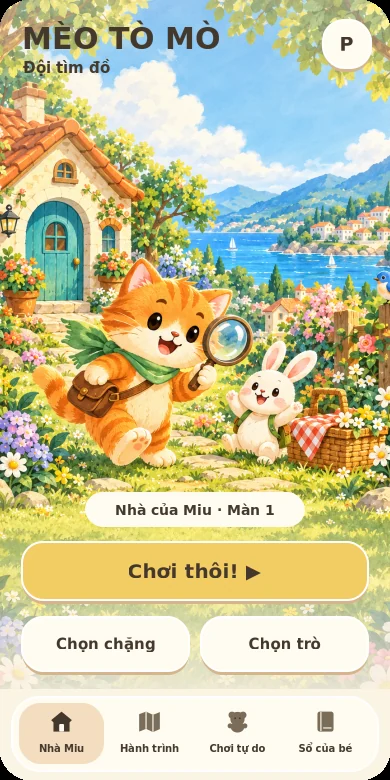
Miu’s home · interface design preview

The idea

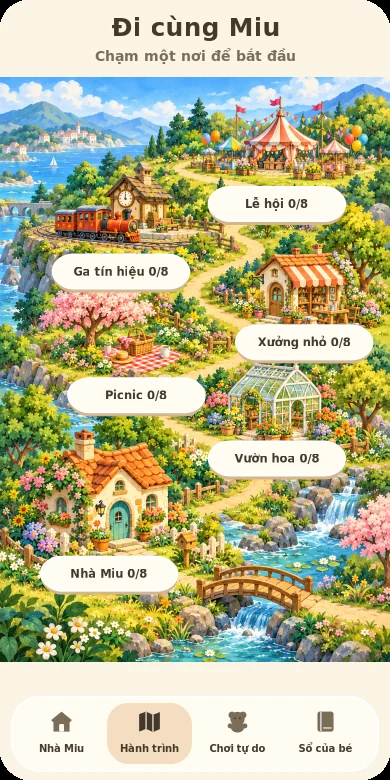
Follow Miu the cat through six familiar places, from a little home to a colorful garden and a festival with friends. Follow the journey or pick from 11 games involving observation, matching, memory, colors, spoken animal names and reactions.

The drawing corner offers 48 coloring pages in six groups and a blank canvas. Choose a pen, color and stroke size, draw with a finger or Apple Pencil, and return to a saved drawing later. An adult can share a picture after completing the parental gate.

Version 1.0.0 is in Vietnamese and uses system speech for spoken guidance. It works offline with no ads, in-app purchases or account. Progress, recent activity and drawings stay on the device. Parents can review activity, adjust settings and delete local data. Available on the App Store for iPhone and iPad.

In depth

Mèo Tò Mò: A little curiosity. A world to color.

01

Who it is for

Mèo Tò Mò is for young children who love coloring and short games with a friendly character, and for parents who want a Vietnamese-language app they can hand over with peace of mind.

All content and spoken guidance are in Vietnamese, so a child who isn't reading fluently yet can still listen and follow along. There are no ads, in-app purchases, chat or public drawing gallery, which means there is nothing for a small finger to tap into by accident.

It also works well for families on the move: the content is bundled with the app and plays without an internet connection. Mèo Tò Mò is made for play and creativity. It is not a test or an assessment of a child's abilities.
Who it is for
02

What a play session looks like

A session usually starts at Miu's home. Your child taps play to continue the journey, or picks a chapter or a game.

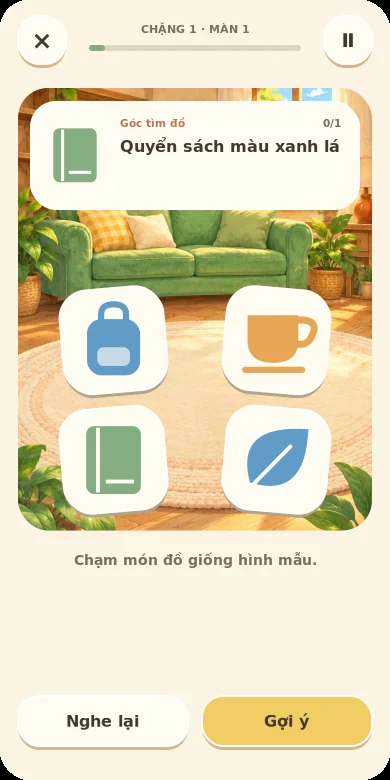
In the find-the-object game, for example, the screen shows one item to look for, such as a green book, alongside a few other objects. The spoken guide reads the request and your child taps the matching item. There is a button to hear the instruction again and a hint for when they get stuck.

Finishing a level opens the next one in the chapter, and completing a whole chapter earns a sticker. The journey has six chapters of eight levels each, passing through places like a little home, a flower garden and a festival. If your child just wants a favorite game, free play lets them pick it directly at one of three practice levels.

What a play session looks like
03

The drawing corner: 48 pages and a blank canvas

The drawing corner has 48 coloring pages in six groups, plus a blank canvas for when your child wants to invent something. A few familiar ones are a cat, a unicorn, a whale, a rocket, a butterfly and a flower.

The coloring pages are built from Google Noto Emoji artwork (Apache 2.0 license), converted into outlines ready to color. Your child picks a pen, a color and a stroke size, then draws with a finger or Apple Pencil. There is an eraser and undo, so slips are easy to fix.

Every drawing is saved separately on the device. Open the same page the next day and the earlier strokes are still there to keep working on.

The drawing corner: 48 pages and a blank canvas
04

What the parent area does

The parent area sits behind a short arithmetic check so children don't wander in.

Inside, you can review recent activity: games played, correct choices, retries, hints used and active play time. The app keeps up to 300 recent completed rounds. You can also adjust spoken guidance, sound, haptics and reduced motion.

There are two levels of deletion. Delete progress clears game progress only and keeps settings and drawings. Delete all data on this device removes progress, history, stickers, settings, recovery copies and drawings. Sharing a drawing and opening links to websites also require passing the same check.

What the parent area does
05

Privacy and offline play

Mèo Tò Mò has no sign-up, sign-in or server account. Your child never needs to enter a name, birthday, email or phone number to play.

The app doesn't ask for camera, microphone, location, contacts or photo library access. There are no ads, third-party analytics or ad tracking. Spoken guidance uses the Vietnamese voice already on the device, and the app does not record audio.

When an adult shares a drawing, the app creates a PNG of the open picture and shows the iOS share sheet; the developer never receives a copy. One small tip: Delete App removes the in-app data, while Offload App keeps it. See the privacy policy for details.

Privacy and offline play

What’s inside

Something new to try

Find objects, match pairs, remember positions, recognize colors, listen for animal names, complete patterns and catch stars. Each game has three practice levels.

A journey with Miu

Explore six chapters with 48 levels. Finish a level to open the next one in its chapter and collect a sticker for completing the chapter.

Make room for imagination

Choose from 48 coloring pages or a blank canvas, with pens, an eraser and undo. Each drawing is saved locally so you can continue later.

Controls for grown-ups

Parents can adjust sound, review recent activity and delete data. Sharing pictures and opening external links require the parental gate.

Hear it again anytime

Vietnamese spoken guidance reads each level's request, with a replay button. The listening game reads animal names and offers a picture alternative when no voice is available.

Reduced motion when needed

Parents can turn off haptics, adjust sound and enable reduced motion for children who are sensitive to effects.

No sensitive permissions

The app doesn't request camera, microphone, location, contacts or photo library access. Coloring pages are bundled, so nothing is downloaded while your child plays.

Good to know

Does it need the internet or an account?

No. Content is bundled with the app, and progress and drawings stay on the device. There are no accounts or cross-device sync.

Is the app available in English?

Version 1.0.0 supports Vietnamese. Spoken guidance depends on the Vietnamese system voice available on the device; the listening game provides a picture alternative when speech is unavailable.

Are there ads or in-app purchases?

The current version has no ads, in-app purchases, tracking, chat or public drawing gallery.

How do parents delete data?

Open Nhà Miu → the parent icon → complete the arithmetic gate → Xóa toàn bộ dữ liệu trên máy, then confirm. This removes progress, history, stickers, settings, recovery copies and drawings. Manage shared images and older backups separately. See support instructions.

Are my child's drawings uploaded anywhere?

No. Drawings and strokes stay on the device. Only when an adult passes the parental check and chooses to share does the app create a PNG to send wherever you pick. The developer never receives a copy.

What is the difference between deleting progress and deleting all data?

Deleting progress clears game progress only and keeps settings and drawings. Deleting all data on the device removes progress, history, stickers, settings, recovery copies, strokes and previews, and cannot be undone.

Does the app ask for camera or microphone access?

No. Mèo Tò Mò doesn't request camera, microphone, location, contacts or photo library access. Spoken guidance uses the system voice and the app does not record audio.

Which devices does it run on?

Mèo Tò Mò is for iPhone and iPad running iOS 17 or later. Each device has one shared progress. Available on the App Store.

News

Read about Mèo Tò Mò

All stories

More to explore