Skip to content

Coming soonDocument scanning & PDF tools

Scanmora

Less paperwork. More room for your day.

  • iPhone
  • iPad
  • iOS 17+
  • English, Vietnamese
Mobile view: Scanmora

A closer look

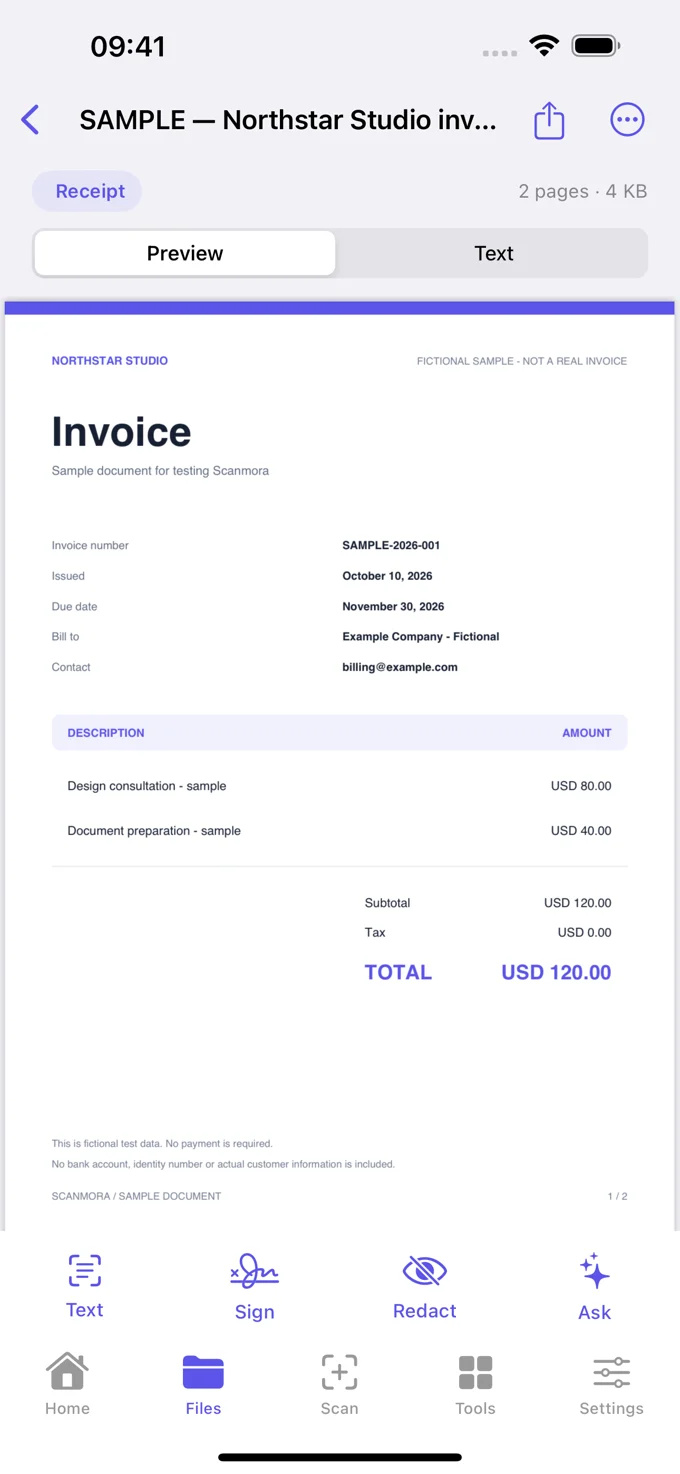
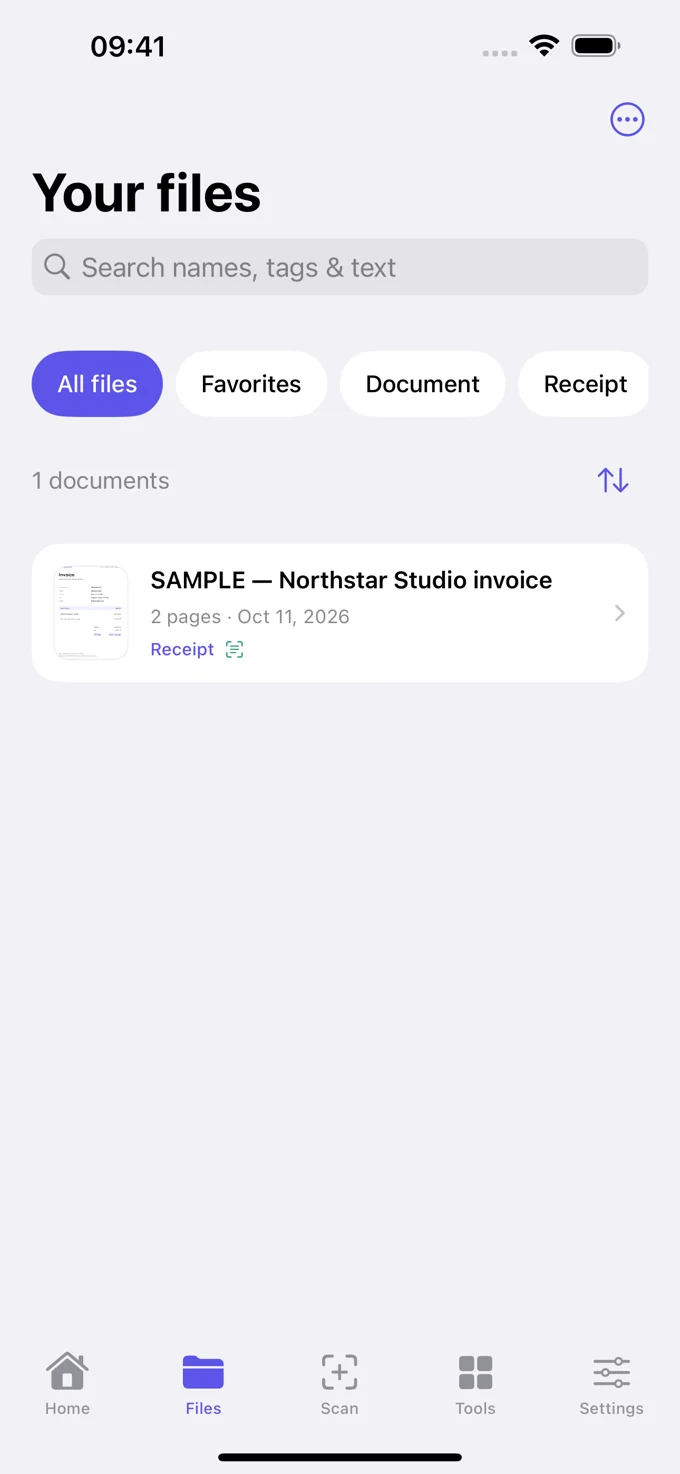
A library with a sample document

The idea

Turn receipts, notes and paperwork into tidy digital documents. Crop, rotate and refine your scans, then recognize text on your device so you can find it again.

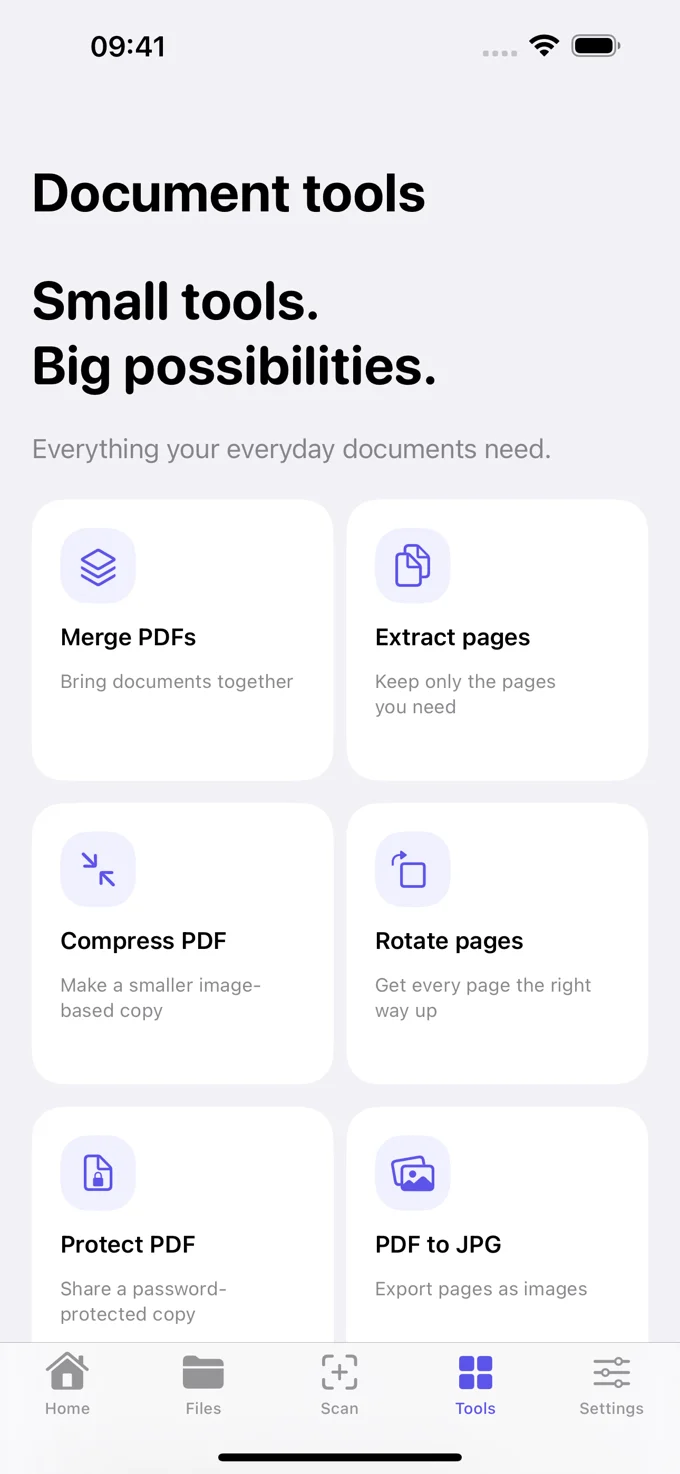
Keep a library with folders, tags and favorites. Merge PDFs, extract pages, add a signature or export a copy to share.

The bundled AI assistant answers questions and summarizes selected document excerpts on your device, without an account or server. In development for iPhone and iPad.

In depth

Scanmora: Less paperwork. More room for your day.

01

Who it is for

Scanmora is for people who need to keep paperwork without carrying a pile of paper around: receipts to reconcile at the end of the month, medical forms, a rental contract, a book page worth quoting, handwritten meeting notes.

If you have ever photographed a document and then lost it somewhere in your camera roll, this is the problem Scanmora is built to fix. Every scan becomes a named document with tags and recognized text, so next time you can type a word from the page and find it.

It also suits freelancers, students and anyone who regularly has to send a clean PDF to someone else. There is no account to create and nothing to sign in to. Open the app and start scanning.
Who it is for
02

What using it looks like

A typical session in Scanmora has four steps, and all of them happen on your iPhone or iPad.

  1. Scan or import. Use the Scan tab for the camera, or bring in existing photos and PDFs from Photos or Files.
  2. Fix the pages. Crop, rotate and pick a filter that makes the text clearer, then save. Text recognition runs on the device.
  3. Organize. Add a tag such as Receipt or Document, mark favorites and file things into folders. Search looks at names, tags and the text inside.
  4. Put it to work. Open a document to switch between Preview and Text, sign it, redact sensitive details, ask the assistant or share a copy.

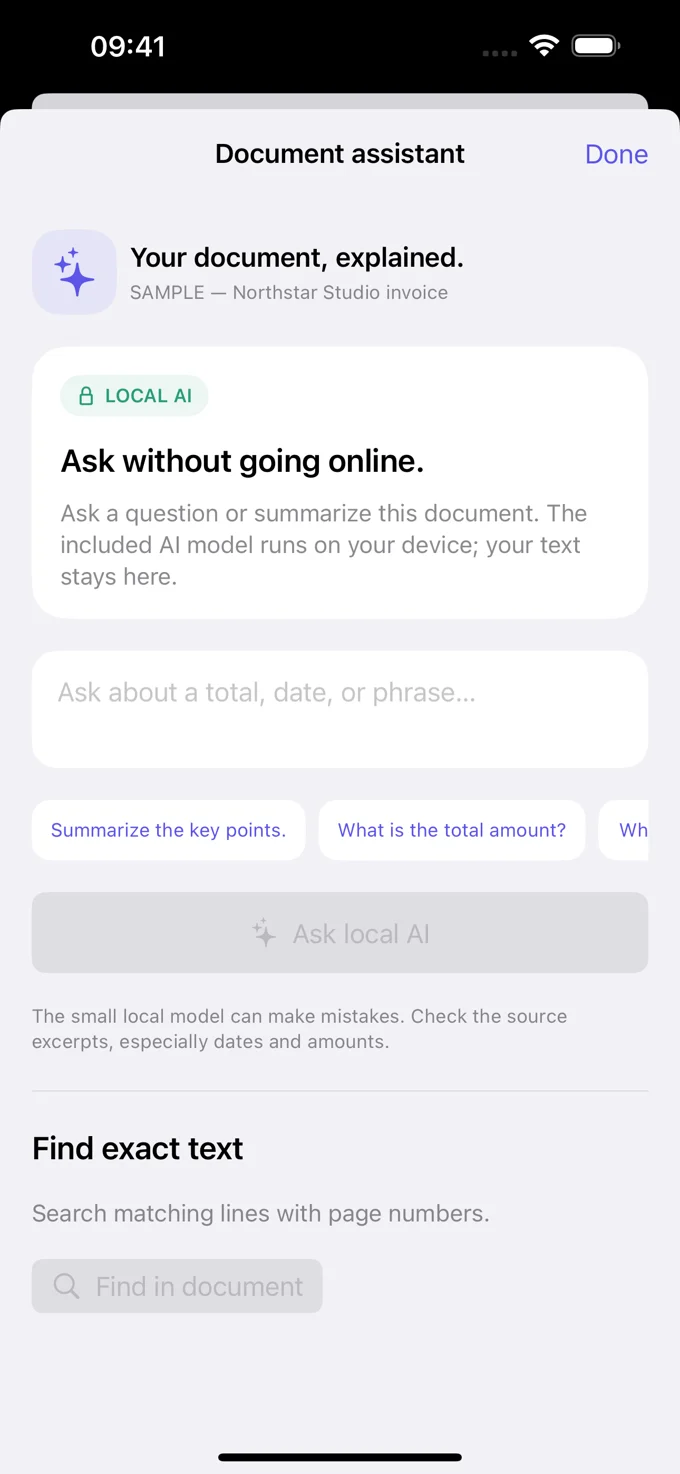
If you only need one number, Find exact text in the assistant lists matching lines with their page numbers.

What using it looks like
03

How the on-device assistant works

Scanmora's document assistant uses the Qwen2.5-0.5B-Instruct model and the llama.cpp inference engine, both bundled inside the app. You don't download a model, paste an API key or sign up with an AI provider, and the assistant still answers in airplane mode.

When you ask something like "What is the total amount?" or "Summarize the key points", the assistant reads only your question and selected excerpts from the document you have open. It does not look through the rest of your library. Each question starts with a fresh context, and closing the assistant cancels any work in progress.

It is a small model, sized to run on a phone, so answers can be incomplete or wrong. The app reminds you to check the source excerpts, especially dates and amounts.

How the on-device assistant works
04

The story behind it

The first Scanmora build, a 0.1.0 developer release in October 2026, had an assistant that only did keyword search on the device. Generated answers were optional and required a separate server to call a model.

For version 1.0.0 we at TrioX went another way and put the model inside the app. The reasoning was simple. Paperwork is some of the most private stuff on a phone, and a scanner app shouldn't ask you to upload a receipt or a contract just to ask one question about it.

The trade-off is that the model has to be small enough to run on an iPhone, so we chose to state its limits right in the interface rather than overpromise.

The story behind it
05

Privacy and storage

Scanning, text recognition, PDF processing, search and AI inference all run on the device. The current app has no account, document server, advertising SDK, tracking SDK or automatic analytics upload.

Document files use complete iOS Data Protection. You can turn on an app lock with Face ID, Touch ID or your device passcode, and the app hides its content in the app switcher. Camera access is optional; if you decline it, the other tools still work.

Deleted documents go to Trash and can be restored until you confirm permanent deletion. Keep in mind that your library may be included in device or iCloud backups depending on your settings, and copies you exported to other apps are not removed. The details are in the privacy policy.

Privacy and storage

What’s inside

From paper to searchable text

Scan or import photos and PDFs, crop pages, apply filters and recognize text on your device.

A library that makes sense

Use folders, tags, favorites and search to keep your documents easy to find.

PDF tools, all together

Merge, extract, rotate, compress or export JPG and TXT. Add a signature or markup to a copy.

Ask your documents, offline

A bundled local AI model answers questions and summarizes document excerpts. Check its answers against the source.

Redact before you send

Use Redact to cover an account number, address or signature on a copy before sharing it. Protect PDF lets you send a password-protected copy.

App lock and a hidden preview

Lock the app with Face ID, Touch ID or your device passcode. Document content is hidden while the app sits in the app switcher.

A Trash for second thoughts

Deleted documents wait in Trash and can be restored. They only leave your library once you confirm permanent deletion.

Good to know

Trợ lý AI có gửi tài liệu của tôi lên máy chủ không?

Không. Mô hình Qwen2.5-0.5B-Instruct và llama.cpp được đóng gói trong app, mọi xử lý AI diễn ra trên thiết bị, kể cả khi ngoại tuyến. Scanmora không gửi tài liệu, ảnh, chữ OCR, câu hỏi hay câu trả lời cho nhà phát triển hoặc bất kỳ nhà cung cấp AI nào.

Trợ lý có tìm trong toàn bộ thư viện không?

Không. Trợ lý chỉ dùng câu hỏi của bạn và các đoạn được chọn từ tài liệu đang mở. Muốn tìm trên cả thư viện, hãy dùng ô tìm kiếm theo tên, nhãn và chữ trong tài liệu.

Scanmora có thu phí không?

Theo chính sách hiện tại, bản 1.0.0 được tải và dùng miễn phí, gồm cả quét, OCR, công cụ PDF và trợ lý AI. App không có mua hàng trong ứng dụng, gói đăng ký hay lượt AI phải trả tiền. Scanmora đang được hoàn thiện và chưa có liên kết tải.

Xóa tài liệu trong app có xóa luôn bản sao lưu không?

Không. Xóa vĩnh viễn trong Scanmora gỡ tài liệu khỏi thư viện trên máy, nhưng không xóa bản sao lưu thiết bị hoặc iCloud cũ, tệp trong Files hay bản đã xuất sang app khác. Bạn quản lý các bản đó ở nơi lưu tương ứng.

News

Read about Scanmora

All stories

More to explore