Skip to content

Coming soonGravity puzzles

CUTVERSE

One cut. Two worlds. A way home.

  • iPhone
  • iOS 17+
  • Vietnamese, English
Mobile view: CUTVERSE
200
levels
12
chapters
600
stars

A closer look

Mimo and the first gravity cut

The idea

Above your cut pulls up. Below it pulls down. Draw, watch and adjust to guide Mimo through glowing gardens, mirrorwood and new worlds.

Explore 200 levels, 12 chapters and 600 optional stars. Collect keys and combine bounce pads, portals, wind, switches and shields. Reveal hints step by step or leave a difficult level for later.

All levels and reward chests are free. Unlock all eight outfits with lights earned through play or milestone rewards. Gameplay, hints and outfits work entirely on your device without internet. No in-app purchases, subscriptions, ads, account or cloud progress sync. Preparing for release.

In depth

CUTVERSE: One cut. Two worlds. A way home.

01

Who it is for

CUTVERSE is for anyone who likes puzzles you understand at a glance but have to think harder about the longer you play. Each level is a compact puzzle on a single screen, a good fit for a bus ride, a flight or the last minutes before bed.

The game runs entirely on your iPhone with no internet and no account. There are no ads between levels and no top-ups or subscriptions, so you can play all 200 levels at your own pace.

If you have enjoyed line-drawing or physics games but dislike being rushed, CUTVERSE gives you step-by-step hints, undo and the option to leave a tough level for later. It is a general-audience puzzle game; families can use Apple Screen Time to manage play time.
Who it is for
02

What a level looks like

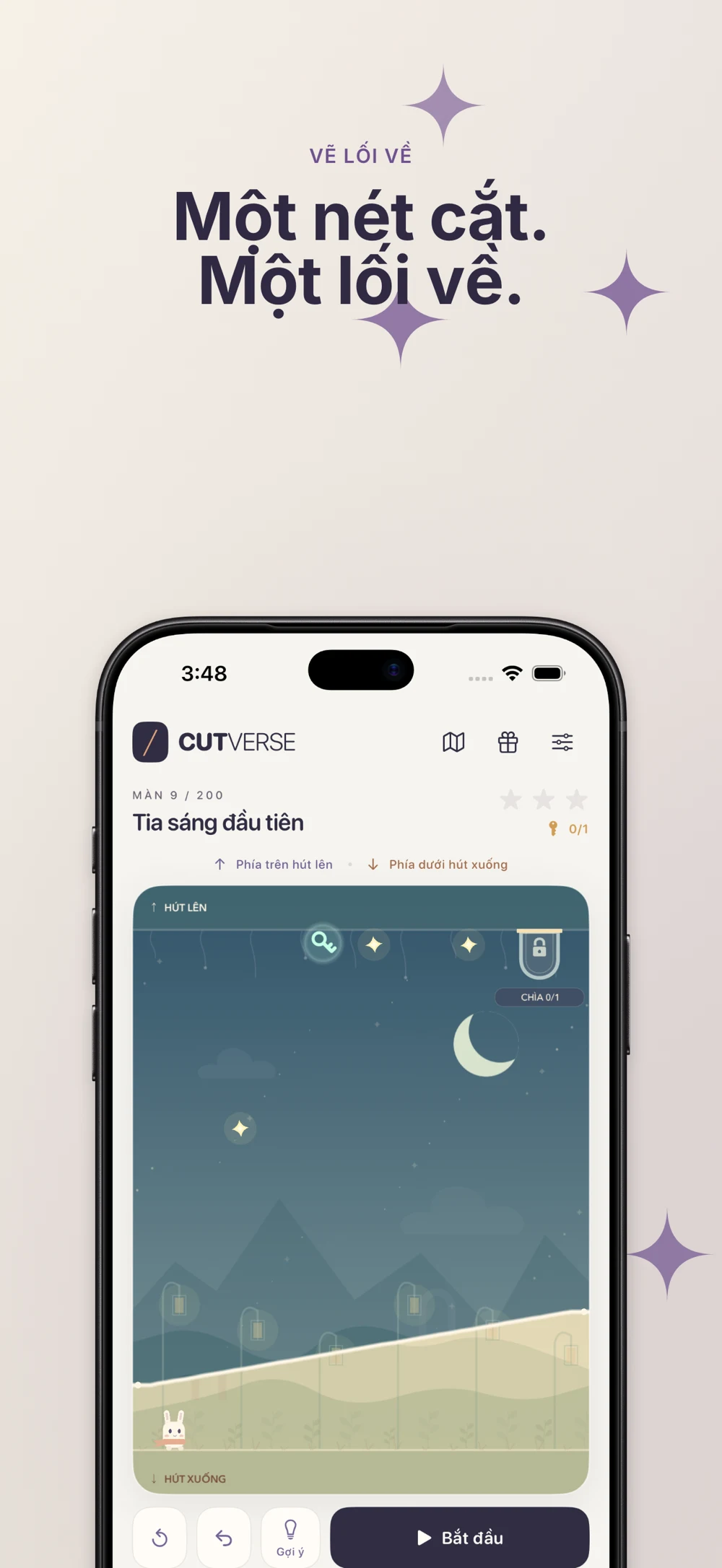
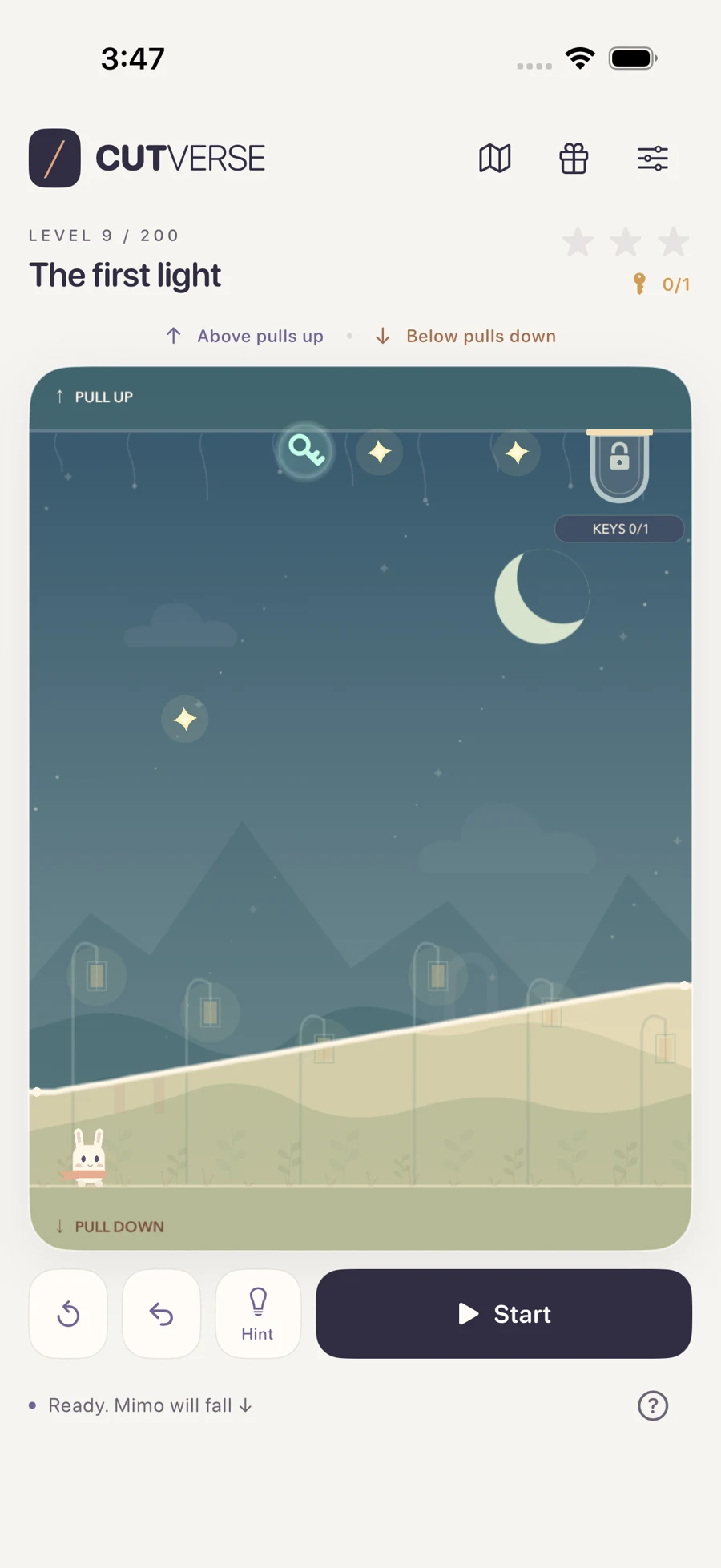
Take level 9 as an example. Mimo waits in the bottom corner, a glowing key floats near the top, and a locked door sits on the other side.

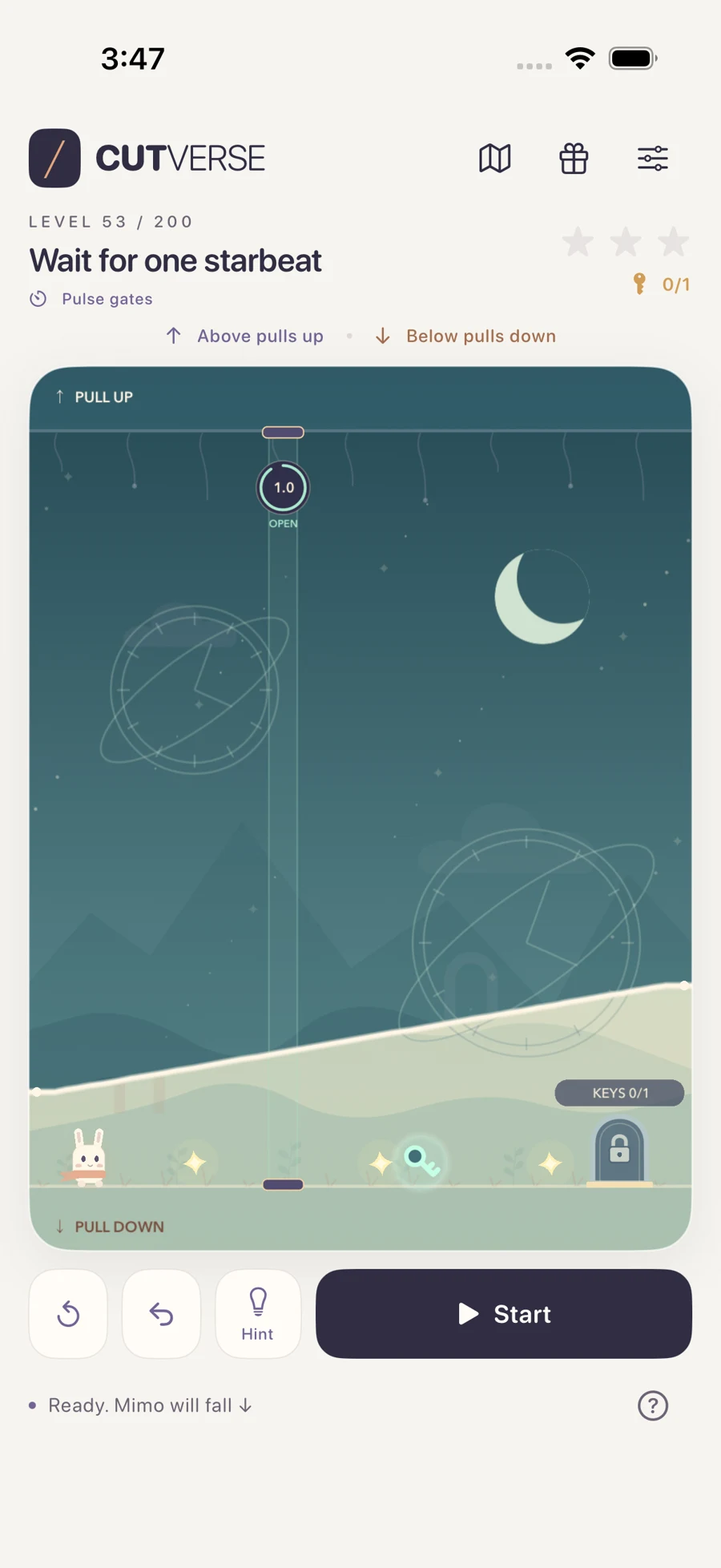
  1. Draw one line from left to right. Everything above it pulls up and everything below pulls down. The line divides gravity; it is not a path for Mimo to walk.
  2. Tap Start and watch. Mimo keeps momentum, so where your cut crosses decides when Mimo lifts off and where it lands.
  3. Adjust. If Mimo sails past the key, undo or redraw. Stars are optional, but you need the key to open the door.

When you are stuck, Hint reveals one step at a time, so you decide how much you want to know.

What a level looks like
03

A 12-chapter map and new mechanics

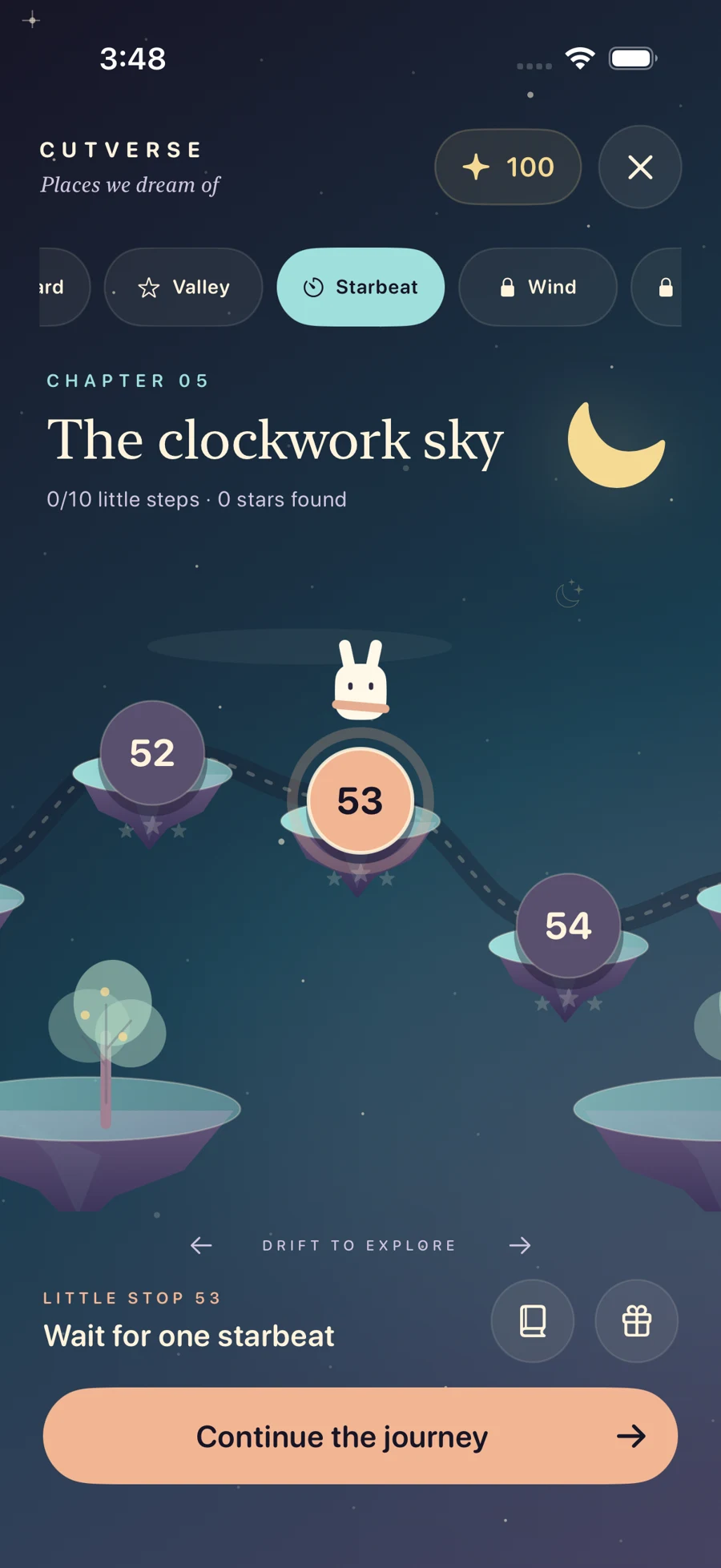
The journey spans 12 chapters with 200 levels and 600 stars. Later chapters open as you progress, and each has its own mood, from glowing gardens and mirrorwood to a starlit sky in chapter 5.

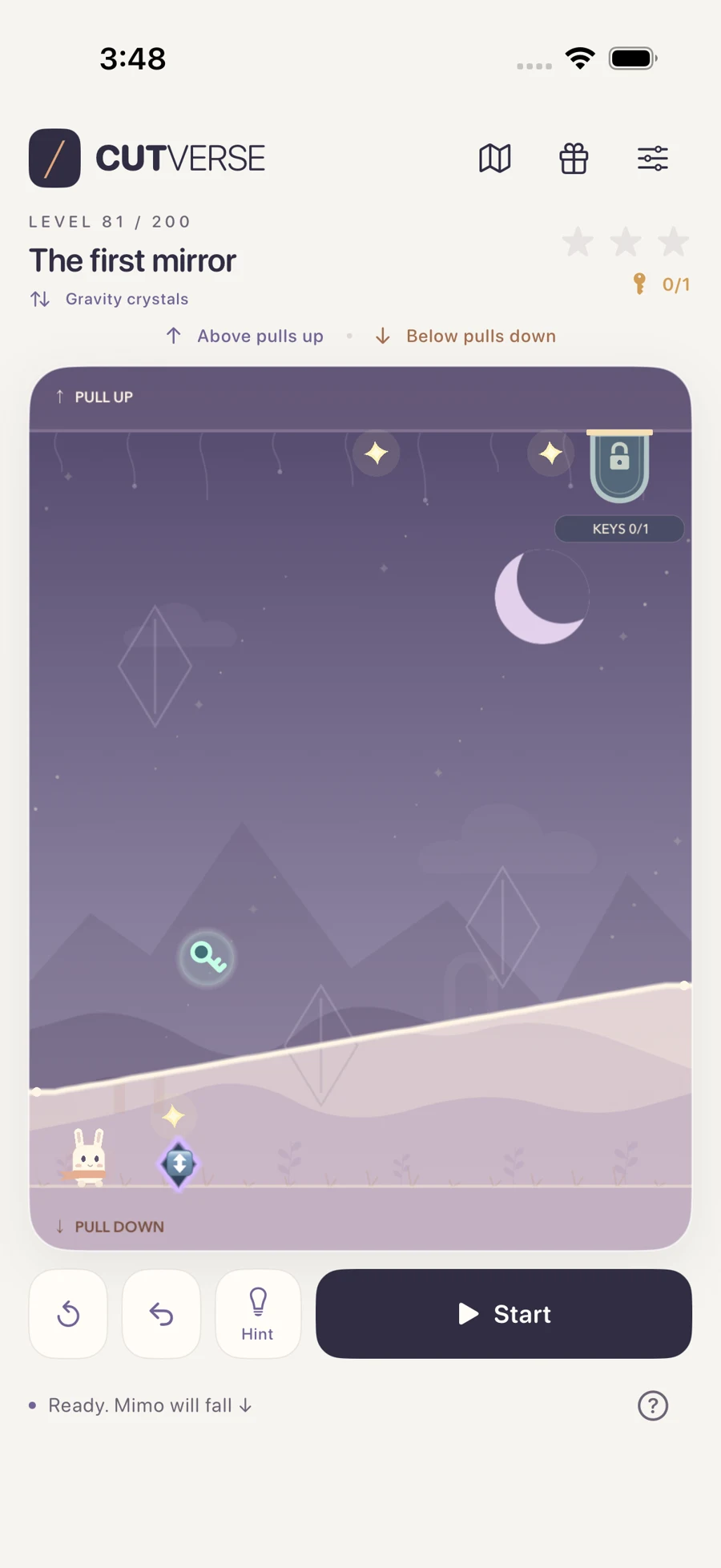
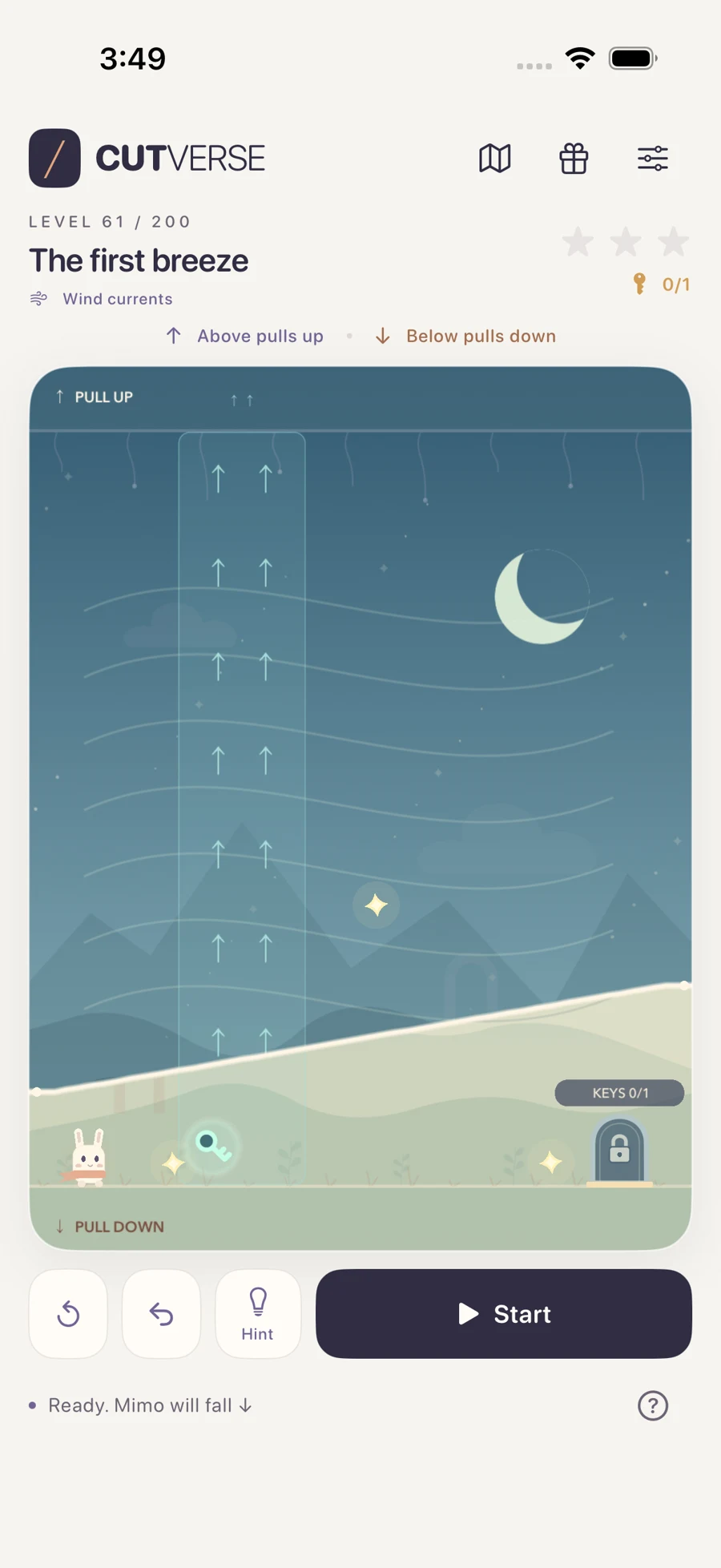
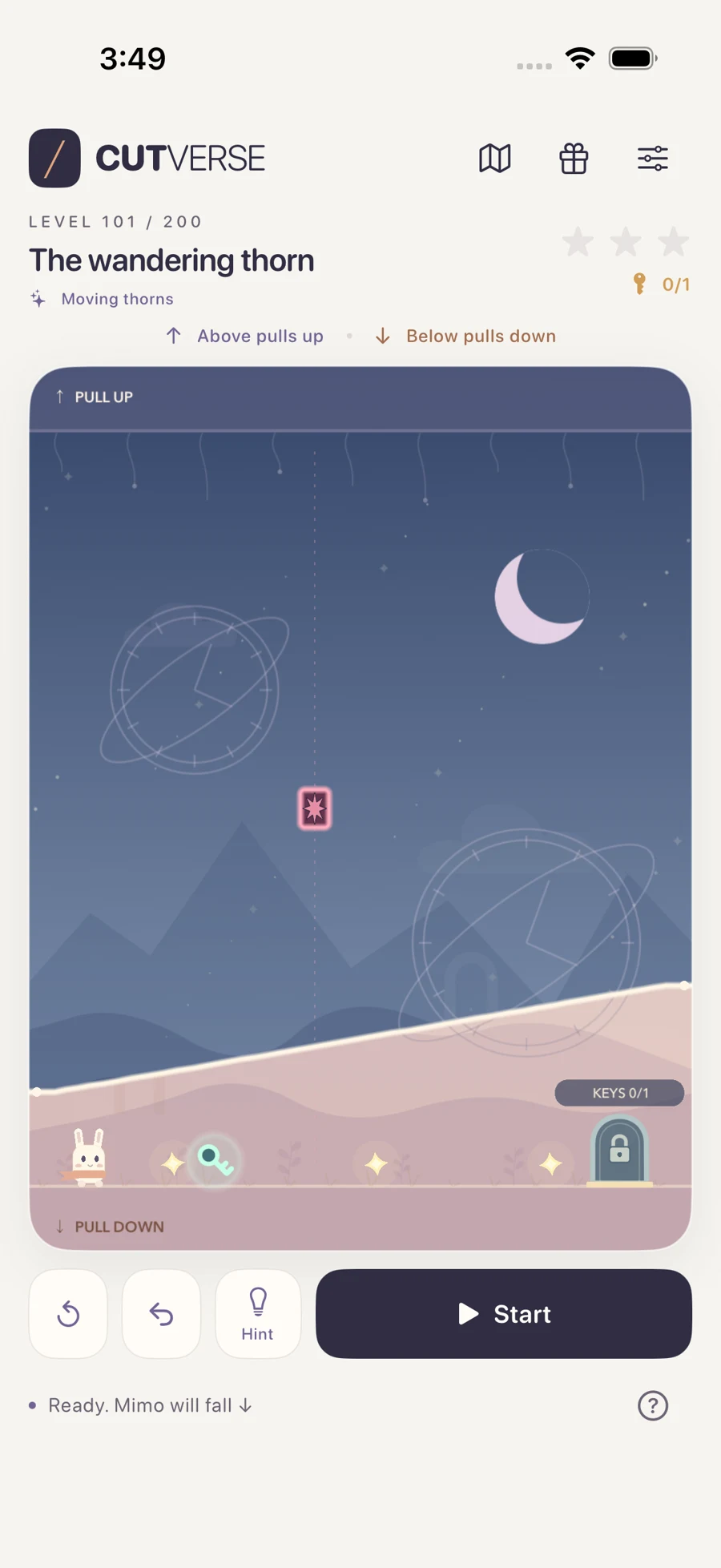
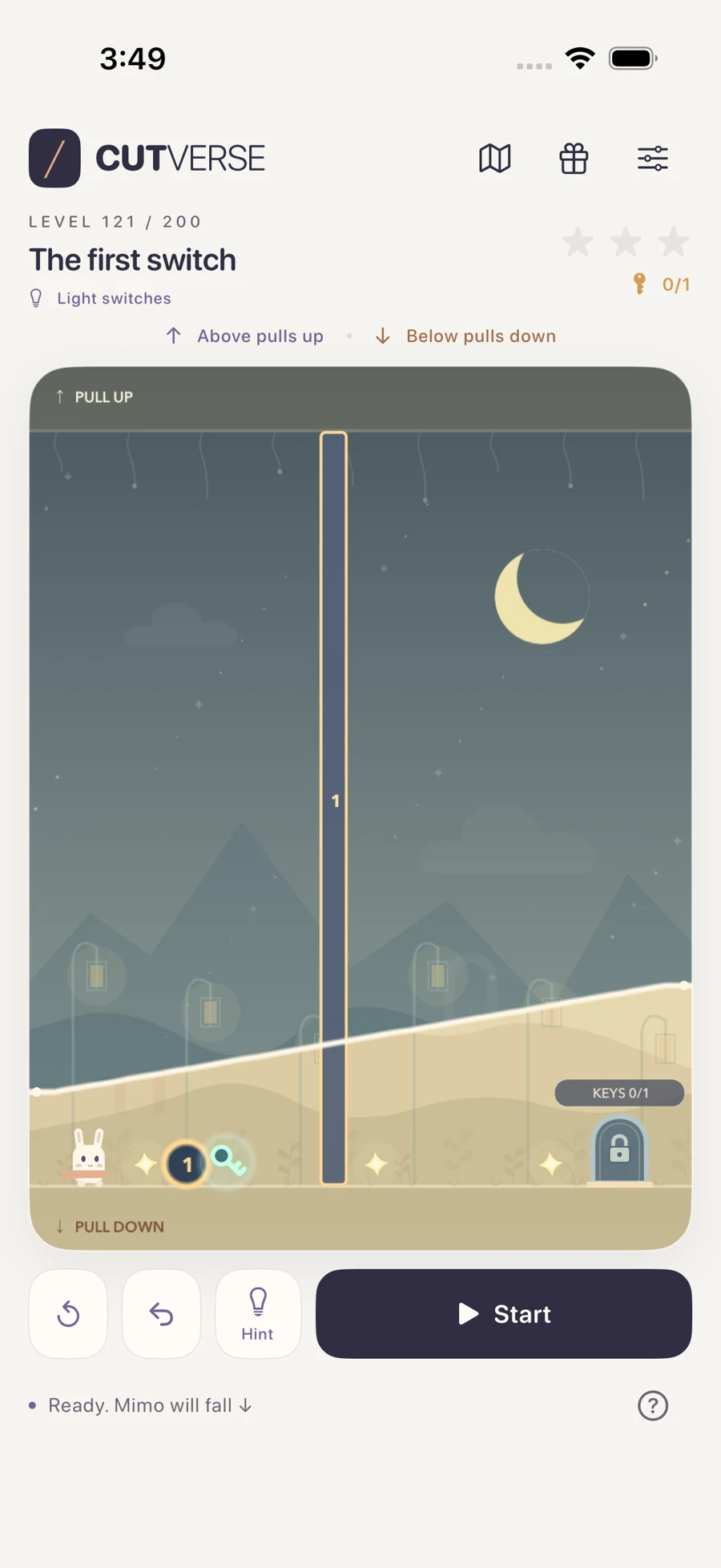
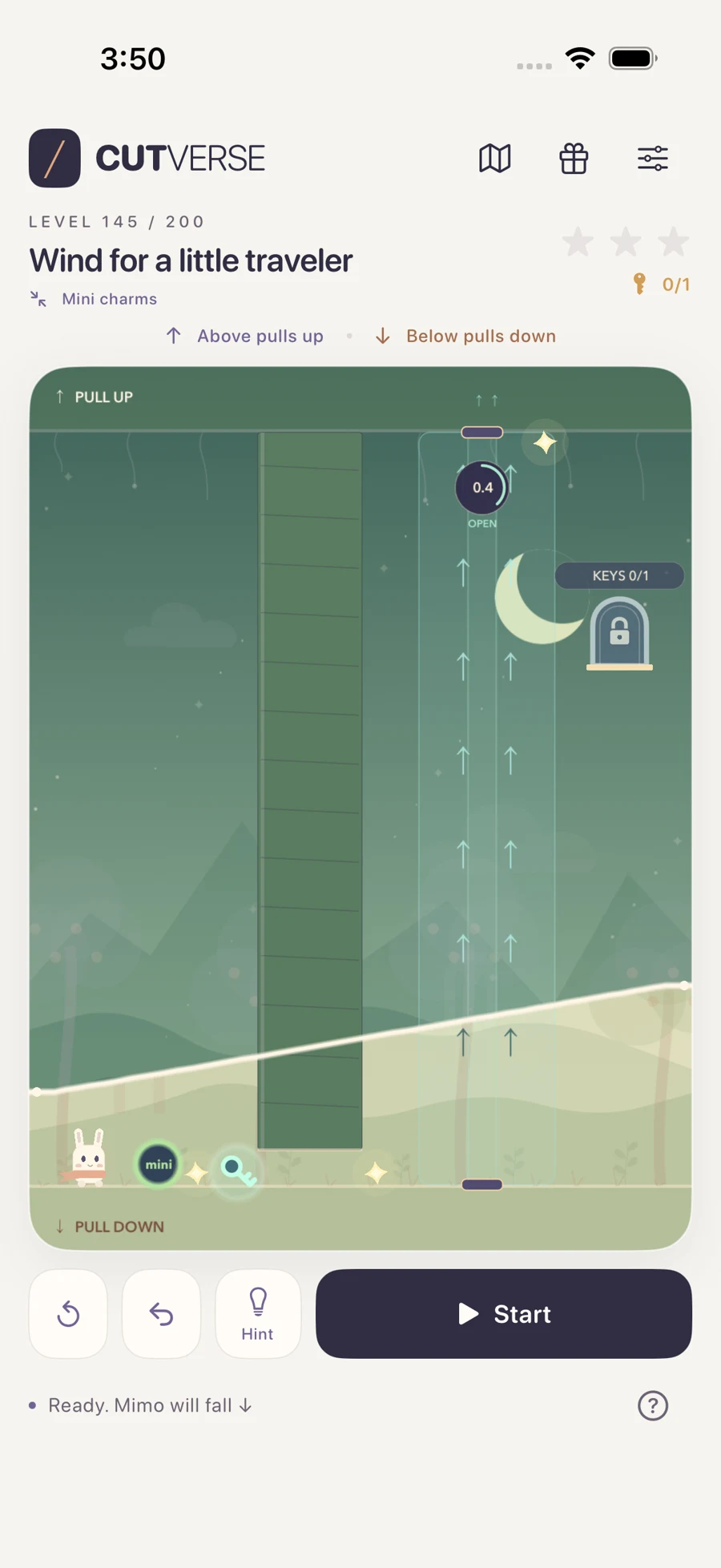
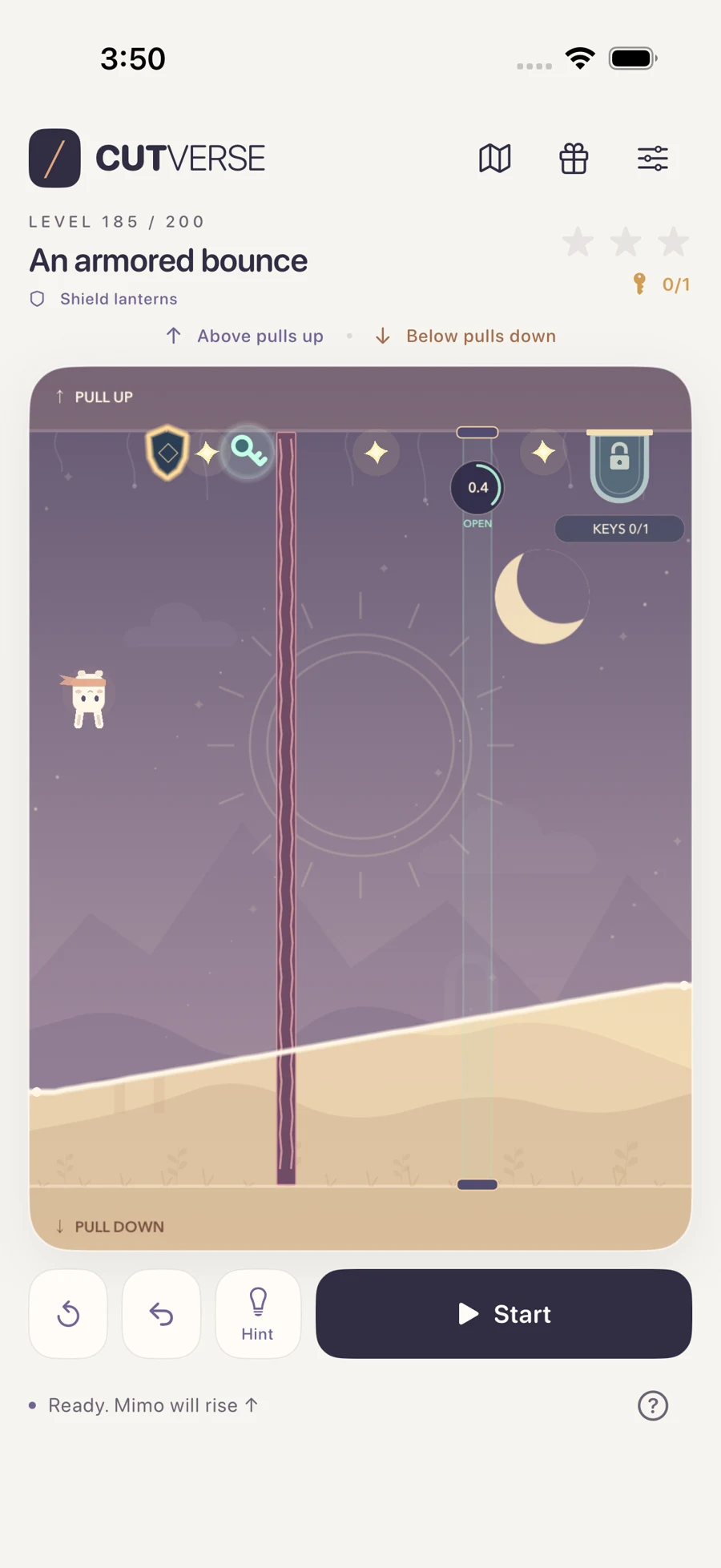
Every few dozen levels the game adds something new to reason about: bounce pads, paired portals, wind in level 61, a moving thorn to time in level 101, switches that open paths in level 121, a shrinking seed that makes Mimo tiny in level 145 and a protective shield in level 185.

Open the map with the map icon at the top. Swipe through the stops to revisit earlier levels and pick up any stars you missed.

A 12-chapter map and new mechanics
04

Treasures, lights and the wardrobe

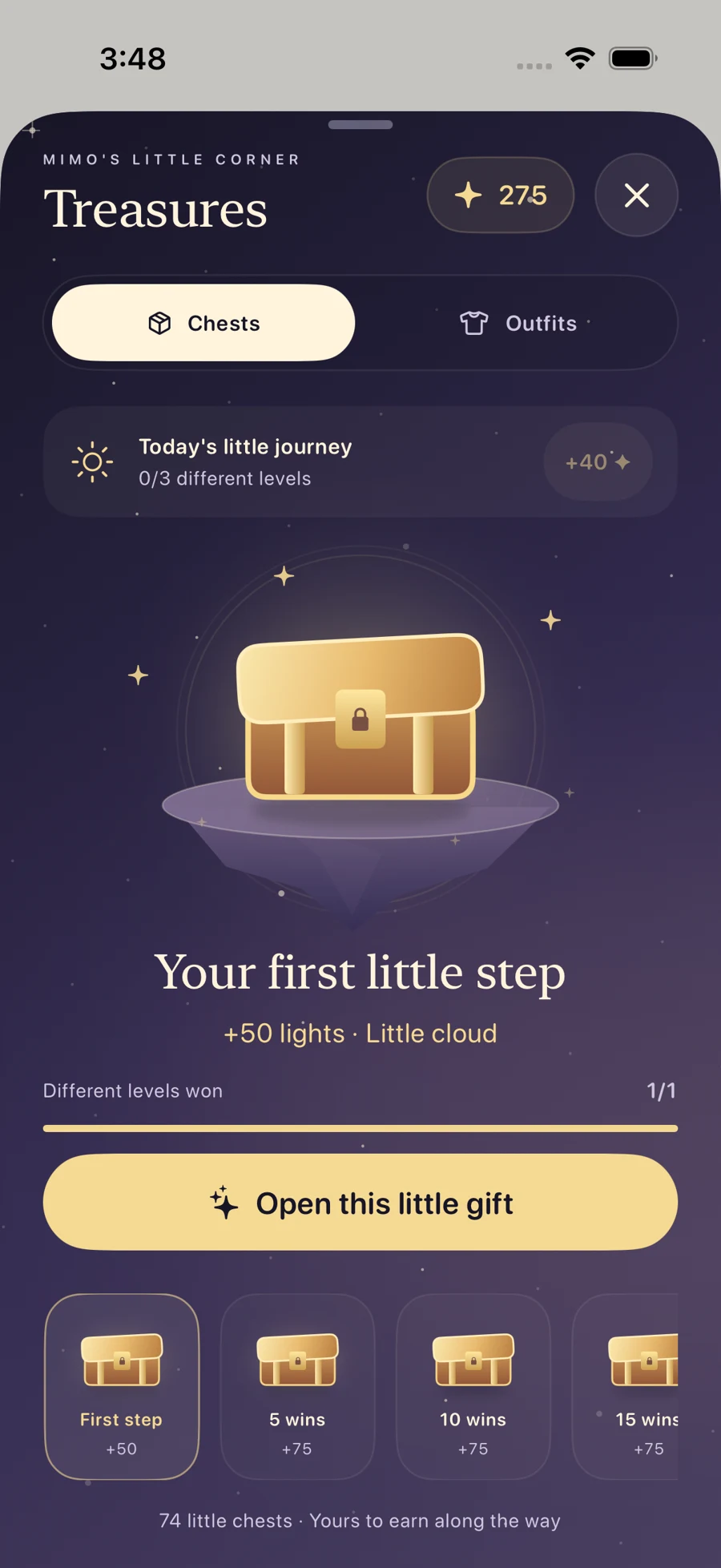
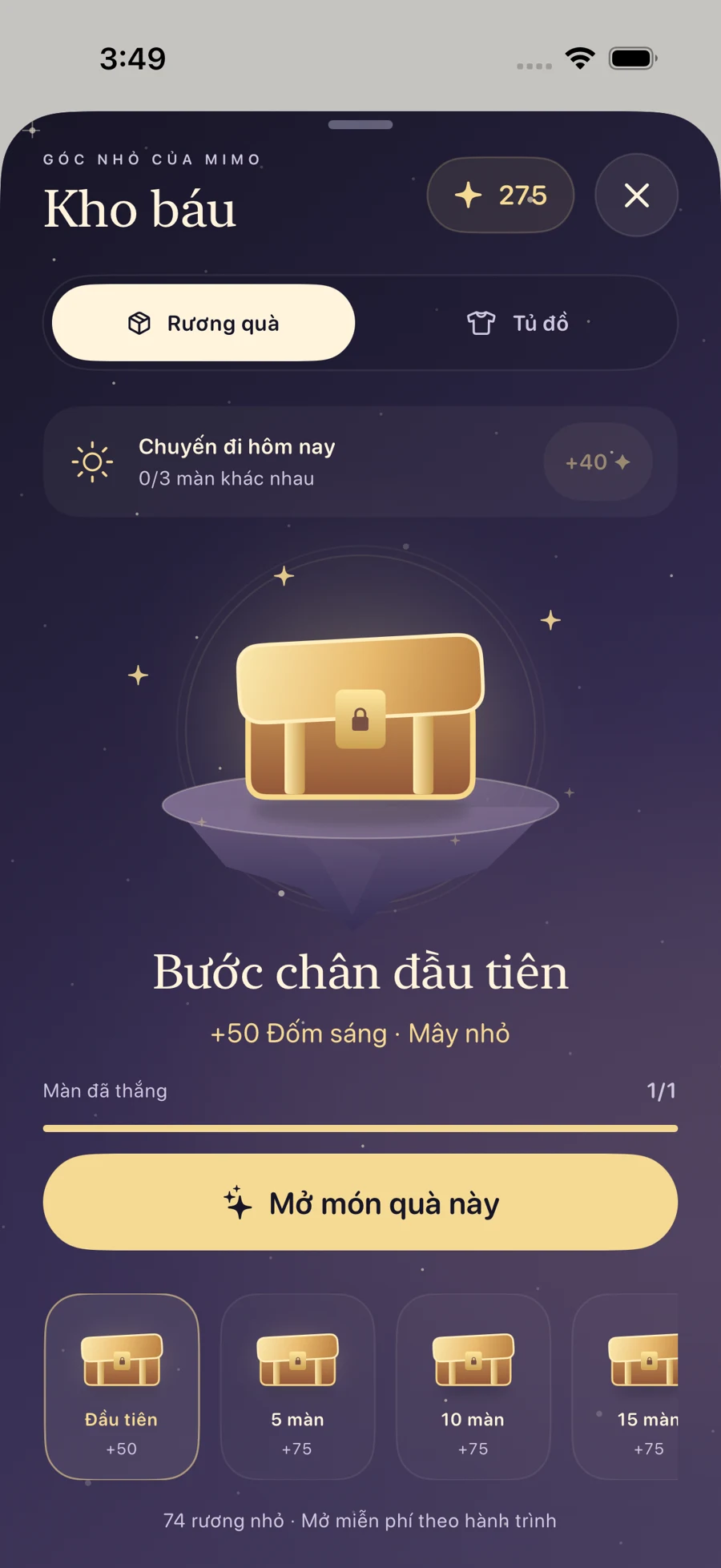
Lights are the reward you earn by playing. You collect them from levels, reward chests and a daily task, for example playing three different levels in a day for 40 extra lights.

Chests open for free as you move along the journey, and each one has a fixed reward rather than a random roll. Spend lights in the wardrobe to dress Mimo up: one outfit costs 900 lights, another 1200. All eight outfits can be unlocked through play.

While finishing the game, we at TrioX once planned to sell one outfit set separately. Version 1.0 drops that entirely: no in-app purchases, no subscriptions, and lights can't be bought with money.

Treasures, lights and the wardrobe
05

Offline play and saves

Progress, stars, lights, unlocked hints, outfits and settings are all stored in the app's storage on your iPhone. There is no game server and no sync between devices, which also means we can't read or recover a save remotely.

The game has no advertising SDK, analytics or third-party crash reporting, doesn't access the IDFA or location, and doesn't ask for camera, microphone, contacts or photo library access.

To start over, go to Settings and choose to replay the journey from the beginning: progress, stars, lights, rewards and outfits reset, while unlocked hints and settings stay. If you see a save recovery message, contact support before deleting the app.

Offline play and saves

What’s inside

Draw a change of gravity

One cut divides the world into two directions. Mimo keeps momentum; you choose when gravity changes.

Go at your own pace

Step-by-step hints, undo, redraw and levels that can wait. Progress saves on your device.

Little treasures along the way

Earn lights, claim fixed-reward chests and unlock all 8 outfits through play. No top-ups or in-app purchases.

A small daily task

Today's trip suggests playing three different levels for some extra lights.

Vietnamese or English

Choose Vietnamese, English or your device language. Settings also cover sound, haptics and reduced motion.

Result cards to show off

Result cards are created on your device and only leave it when you pick a destination in the iOS share sheet.

Good to know

Do I need internet or an account?

No internet or account is needed to play, claim rewards, unlock hints or get outfits. Only website/email support links you choose to open need internet.

Are there paid levels or ads?

No. Version 1.0 includes all 200 levels, free chests and 8 outfits unlocked through play. No ads, in-app purchases or subscriptions.

Does progress sync across devices?

No. Progress, outfits and unlocked hints stay on your device; deleting the app may remove them. Version 1.0 has no account or server sync.

Is the line I draw Mimo's path?

No. The line splits the level into two gravity zones: above pulls up, below pulls down. Mimo moves on its own under gravity and momentum.

Do I need all three stars in every level?

No. Stars are optional. You need the glowing key to open the door and finish the level, and you can come back from the map to collect stars later.

Does replaying the journey remove my unlocked hints?

No. It resets progress, stars, lights, claimed rewards, outfits and memories, but keeps unlocked hints and settings. To remove all data, delete the app in iOS Settings (choose Delete App, not Offload App).

News

Read about CUTVERSE

All stories

More to explore