Adding AI to a mobile app: features, where to run models, and costs
Planning to add AI to a mobile app? Common AI feature types, cloud versus on-device models, running costs, privacy and designing results users can check.
Adding AI to a mobile app is about more than dropping in a chat box. You have to pick the right kind of feature, decide where the model runs, plan for running costs and design the experience so people can always check what the AI produced. This guide walks through each of those decisions, with a few lessons TrioX learned while building real products.
The common types of AI features in apps
Most AI features in mobile apps fall into four groups: summarizing, answering questions, recognition and suggestions. Knowing which group your feature belongs to helps you choose the model and the design.
- Summarizing: turning a long document, conversation or article into a few key points. It is the easiest value to see, but a summary can drop or distort what the original said.
- Question answering: the user asks something and the app answers from a specific source, such as a document, a help guide or the user's own data. Grounded answers are far more trustworthy than letting a model answer freely.
- Recognition: turning images into text (OCR), speech into text, or spotting objects in a photo. This is often the first step that makes other features possible. Our article on AI document reading and OCR covers this group in depth.
- Suggestions and drafts: proposing a title, tags, a reply or a first draft for the user to edit.
Cloud or on-device?
There are two main ways to run an AI model for an app: call a server (a cloud AI service or your own backend) or run the model on the phone itself. Each has clear strengths.
Running in the cloud lets you use large models that handle complex questions well, and you can update the model without shipping a new app version. The trade-off: the app needs a connection, user data has to leave the device, and every call costs money.
Running on the device keeps data on the phone, works offline and has no per-call fee. The trade-off: the model must be small, the app gets bigger, inference uses more battery and answer quality has limits. Our article on on-device AI looks at this approach in detail.
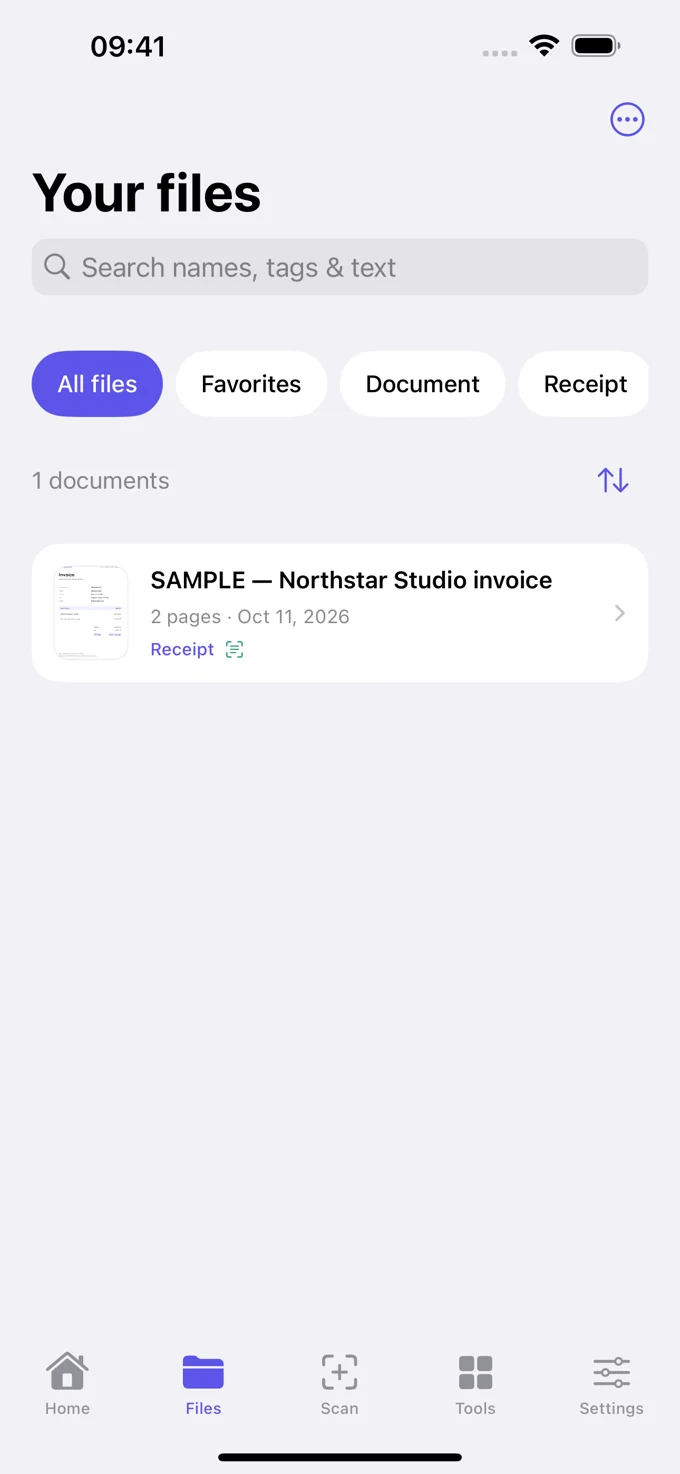
At TrioX we have worked with both. Scanmora, a document scanning app we are finishing for iPhone and iPad, uses an AI assistant that runs entirely on the device, because personal documents are exactly what people do not want to send anywhere. Mầm, our classroom learning platform in the browser, has an AI feature that suggests draft questions and is processed on the server side, which suits a web app.
Running costs: the part people forget
The cost of an AI feature does not stop at launch. With a cloud AI service you usually pay for the amount of text sent and received on every call. More users and more frequent use mean a bigger bill.
A few ways to keep costs under control:
- Send only what is needed, such as a few relevant passages instead of a whole long document.
- Set a daily limit per account, especially on a free plan.
- Cache results so the same request is not processed twice.
- Use a small, cheap model for simple tasks like classification and call a large model only when it is really needed.
With on-device AI the cost takes a different shape: time spent optimizing the model, a larger download, and testing across many generations of devices.
Privacy: say clearly where data goes
Users need to know whether their data leaves the device, who receives it and what it is used for. That is a matter of respect, and it is also expected when you publish to app stores.
If a feature calls a server, state in your privacy policy which AI provider receives the data and whether that provider uses it to train models. In Mầm, AI drafts are only generated when the teacher chooses to create one. For Scanmora, the policy states that documents, recognized text, questions and answers are not sent to the developer or to any outside AI service. Our guide to writing a privacy policy for your app covers how to describe this.
Design so users can check the results
Every AI model can be wrong, so the interface must help people spot and fix mistakes. This is what decides whether an AI feature earns trust.
- Show the source: an answer should come with the passage it is based on, one tap away.
- Call a draft a draft: AI output should be labeled as a suggestion that the user edits before saving or sending. In Mầm, the AI only suggests drafts, and teachers review, edit and decide whether to publish.
- Remind at the right moment: a short line such as "answers can be wrong, check them against the original document" next to the answer, the way Scanmora does it.
- Make it easy to cancel and redo: users should be able to stop a running request and undo an AI mistake.
- Keep important actions manual: AI can suggest, but sending, deleting or paying should need the user's confirmation.
Where to start
If you have an idea for adding AI to your app, answer these questions before you write any code:
- What task are users spending time on that AI could speed up?
- What happens when the result is wrong, and how does the user fix it?
- Is the data sensitive enough that it should stay on the device?
- Does the feature need to work without a connection?
- How often will each user call it, and who pays for that?
The answers will largely point you to where the model should run and how the interface should work. The full path from idea to working version is in our article on building an AI product from an idea.
Frequently asked questions
Should a small app add AI at all?
Yes, if the AI solves a specific task users actually need. One small feature done well, like summaries or tag suggestions, is usually more useful than an all-purpose assistant.
Can on-device AI replace cloud AI?
Not entirely. On-device models fit focused tasks with a clear scope, like answering questions about one document. Deep reasoning or broad knowledge still suits large models in the cloud.
How do I get users to trust AI results?
Do not ask for blind trust. Show sources, label output as a draft and make corrections easy. Trust comes from being able to check, not from the AI being "always right".
TrioX Studios builds apps, games and AI solutions to order, from AI features inside apps to chatbots and document AI. If you would like to talk through your idea, get in touch on our home page.