What is ASO? How to optimize your app on the App Store and Google Play
What is ASO and how do people find your app? A practical guide to names, keywords, screenshots, ratings and localization on the App Store and Google Play.
ASO (App Store Optimization) is the work of improving your app's store page on the App Store and Google Play so that more people find it and more of the people who see it choose to download. ASO has two halves: being seen, which means showing up in search, and being chosen, which means a product page that convinces. This guide covers each part, with examples from apps made by TrioX Studios.
How is ASO different from SEO?
ASO is like SEO in that both revolve around keywords and search intent, but it happens inside app stores, each with its own rules. On the App Store, the fields that matter most for search are the app name, the subtitle and a hidden keyword field; the long description is mainly there to persuade. Google Play has no separate keyword field and instead reads the title, short description and full description to understand what your app does.
Outside the stores, a website, articles and links also help people discover your app. That is the SEO that supports your ASO. If your app is not live yet, start with publishing on the App Store and publishing on Google Play.
Name, subtitle and keywords
Your app name is one of the heaviest factors, because it is both your brand and a keyword carrier. Both stores limit name length, so balance a distinctive name with a descriptive phrase.
- App Store: the name and subtitle are about 30 characters each, plus a keyword field of about 100 characters, separated by commas and never shown to users. Do not repeat words already in the name, and do not use other companies' trademarks.
- Google Play: a title of about 30 characters, a short description of about 80 characters and a full description. Write naturally, mention core terms where they fit, and avoid stuffing, which can break the metadata policy.
Character limits can change, so check the official docs from Apple and Google.
To choose keywords, think like your users. Someone looking for a lunar calendar types "lunar calendar" or "family anniversaries", not your brand. For an app like Lịch Nhà, which is still being finished and has a Vietnamese interface, the Vietnamese phrases people actually use for the lunar calendar, death anniversaries and family birthdays are natural candidates for the subtitle and keywords.
Screenshots and preview videos
Screenshots often decide whether someone downloads, because people tend to scan images before reading text. A good set should:
- Show the main value in the first two or three images, since they can appear right in search results.
- Make one point per image, with a short caption that is readable on a small screen.
- Use the real interface and never oversell features that do not exist.
- Follow the user's journey: open the app, do the main task, see the result.
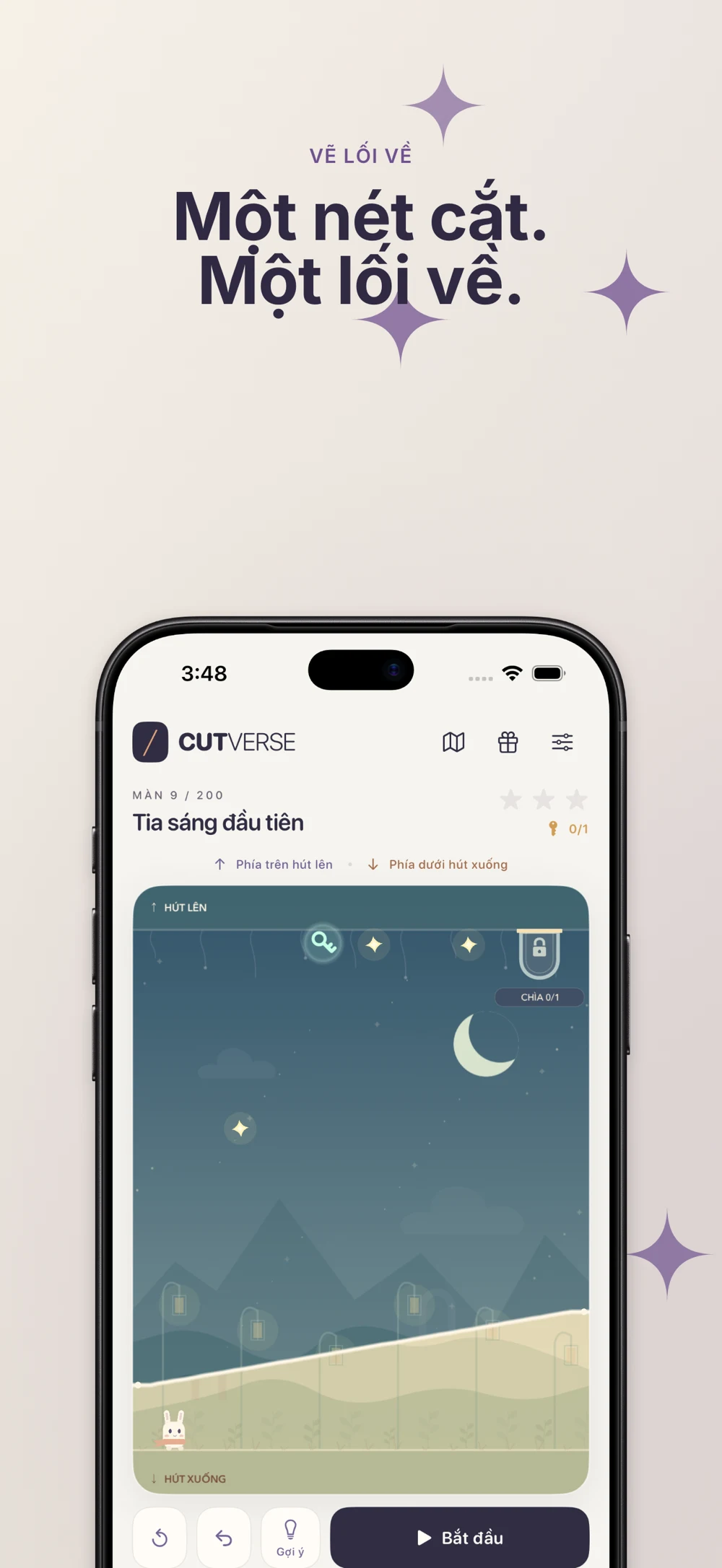
Preview videos (App Previews on the App Store, a YouTube video on Google Play) help when your app has motion or gameplay that still images cannot explain. CUTVERSE, our gravity puzzle game for iPhone that is getting ready for release, is a good example: the rule "draw one line, above it pulls up, below it pulls down" has to be seen to click, so the cover and captions must explain the rule clearly. You can read more in CUTVERSE, a gravity puzzle game.
Ratings and reviews
Ratings and reviews shape whether visitors trust your app. A few principles:
- Ask at the right moment, right after something positive, using the official APIs: StoreKit on iOS and the In-App Review API on Android.
- Do not ask on the very first launch, and never trade rewards for reviews, which both stores prohibit.
- Reply to reviews, especially negative ones, briefly and specifically.
- Read reviews to spot repeated problems, then mention the fix in your release notes.
Vietnamese and English localization
Localization means preparing a separate store page for each language: name, subtitle, keywords, description and screenshots. It is a simple way to reach people in more markets without changing the product. Translation is not localization, though: the terms English speakers search for can be very different from a literal translation of your Vietnamese copy.
At TrioX, several apps come in both Vietnamese and English:
- Little Us is called Tụi Mình in Vietnamese and Little Us in English: one app, with a name that feels natural in each language. See how we introduce it in a private photo sharing app.
- CUTVERSE has separate screenshot sets for Vietnamese and English instead of one shared set.
- Lịch Nhà currently has a Vietnamese interface. Its English page on the TrioX website says so clearly, so international readers know what to expect.
Custom Product Pages and page testing
Custom Product Pages on the App Store let you create extra versions of your page with different screenshots, videos and promotional text, each with its own link for ads or campaigns. A photo sharing app, for instance, could have one page focused on couples and another on families living apart. Apple also offers Product Page Optimization to A/B test icons and screenshots on your default page.
Google Play's equivalents are custom store listings and store listing experiments. Limits and behavior are updated over time, so see Apple's Custom Product Pages documentation.
Tracking the numbers
ASO is ongoing work, not a one-off task. Metrics worth watching:
- Impressions: how often your app appears.
- Product page views.
- Conversion rate: of the people who view the page, how many download.
- Traffic sources: search, browsing the store, referrals from the web.
App Store Connect and Play Console both report these. Change one thing at a time, such as screenshots or keywords, and note the date so you can compare. If you need a team that builds the app and prepares the store page too, TrioX builds apps, games and AI solutions on request. Get in touch on our home page.
Frequently asked questions
How long does ASO take to work?
There is no fixed timeline. On the App Store, changing the name, subtitle or keywords usually requires submitting a new version, and results depend on how competitive the keywords are. Review progress weekly rather than daily.
Should I put competitor names in my keywords?
No. Apple and Google both forbid using other companies' trademarks in metadata, and your app can be rejected.
Do I need paid ASO tools?
Not necessarily. You can start with search suggestions inside the stores and the data in App Store Connect and Play Console.