Whole-class review games: how to run them so every student takes part
How to run a whole-class review game: pick a game for your goal, write questions, split teams, share turns and review results, with examples from Mầm.
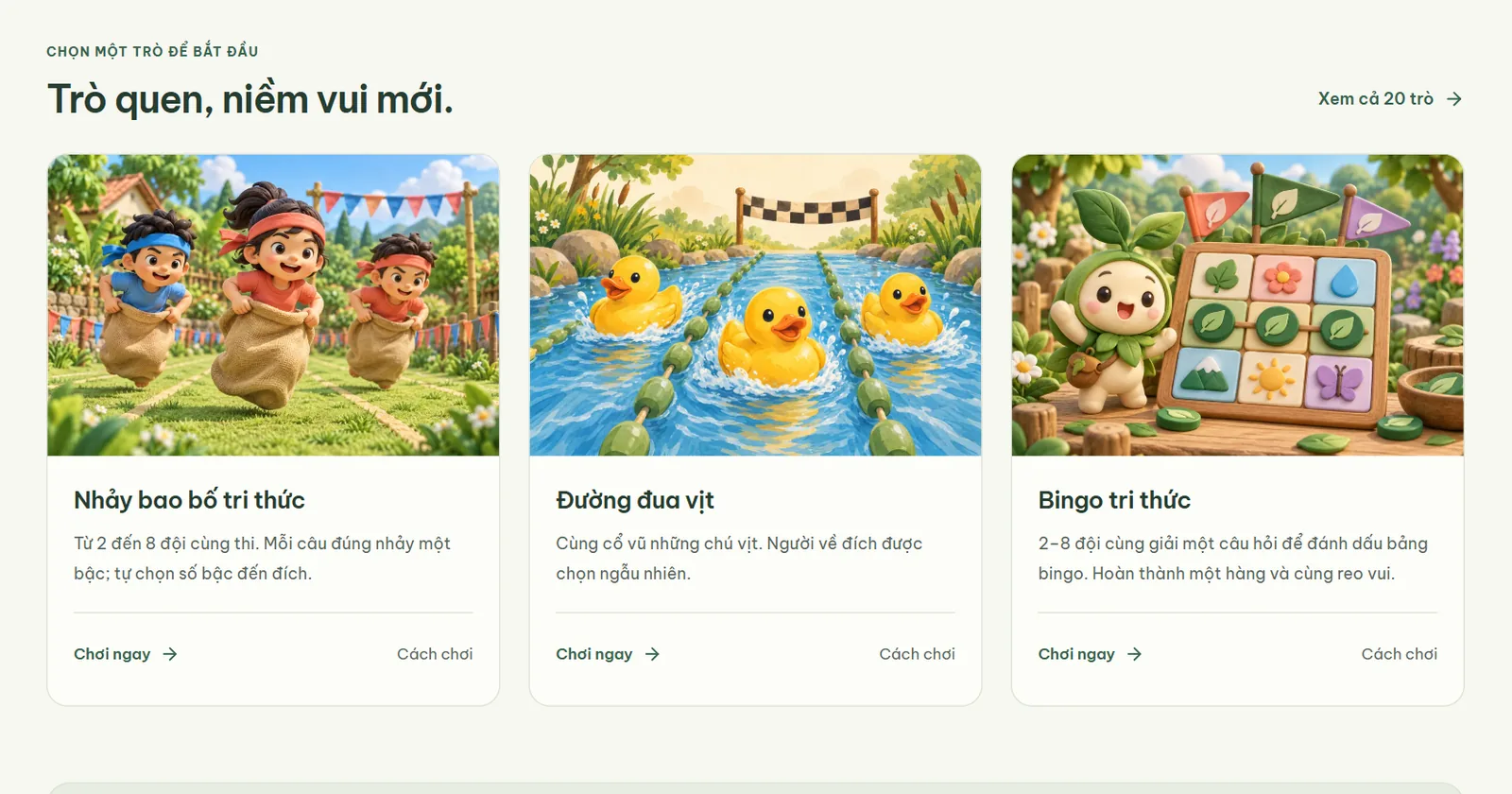
A whole-class review game turns a familiar set of questions into a shared activity where teams talk things through before they answer. Run well, the room gets lively while the lesson stays at the center. This guide walks through each step, from choosing a game and writing questions to reviewing the results, with practical examples from Mầm, the learning platform built by TrioX Studios.
What is a whole-class review game?
A review game uses the lesson's questions as its rules: a correct answer moves a team forward, uncovers part of a picture or wins a capture. Unlike a test, the main goal is to bring knowledge back to mind and get students explaining things to each other.
A good review game has three things in common:
- The questions matter most. Animations and points are just the reward around them.
- Teams get time to discuss, so it is not only about who presses first.
- It ends with a look back. Questions that tripped up several teams get revisited right away.
Pick a game for the goal of the session
Choose a game based on what you want the class to be able to do after 10 to 15 minutes, not on which one looks the most fun. Some ideas by goal:
- Warm-up at the start of class: keep it short with simple rules. A sack race with only a few steps works well as an opener. To call on students at random, use a spinner or a duck race built from your class list.
- Review after a topic: pick a game where every team answers the same question, such as bingo. Everyone thinks about the same idea each round, so the explanation afterwards helps the whole room.
- End-of-unit wrap-up: strategy games such as ô ăn quan (a traditional Vietnamese stone-capturing game) or three in a row ask students to answer and also explain why they chose a move.
- Vocabulary and key terms: crosswords, word scrambles and memory matching suit short answers.
- Solo revision: flashcards. Think first, flip second, and mark the cards that need another look.
Prepare your questions before class
The question set decides how good the game will be, so write it ahead of time and check every answer. A few simple rules:
- One idea per question. Long, multi-part questions make teams spend their time reading instead of thinking.
- Match the question type to the game. Word scrambles need short answers, races need quick ones, and discussion games work well with questions that have several correct options.
- Add a short explanation. After each turn it helps the class see why an answer is right or wrong.
- Prepare a few extra questions. Many games cycle through the questions until a team reaches the finish.
In Mầm, teachers can write seven question types: single answer, multiple answers, true or false, short answer, matching, ordering and categorizing. You can also start from a sample set or from the reviewed public library and adapt it for your class.
Split into teams and give everyone a turn
The fairest setup is balanced teams with a rotating spokesperson, so the strongest student does not answer every question. Some tips for running the game:
- Give teams names that are easy to tell apart and agree on discussion time before you start.
- Rotate the spokesperson every turn and ask someone else on the team to explain the answer.
- With a new group, play one practice round before keeping score.
- If several teams miss the same question, pause and review that idea instead of pushing on.
In Mầm's bingo game, the correct answer is only revealed once every team has locked in, so teams answering later cannot copy the earlier ones. It is a small detail that keeps the game fair.
One shared screen or one device per student?
There are two ways to run a review game, and each suits a different purpose.
One shared screen: the host runs the game on a projector, teams discuss and answer in turn, and the host enters each team's answer. Students do not need their own phones, which works well for large classes and lessons where you want more interaction. If you are thinking about children's screen time, this is also the lighter option.
One device per student: students join a quiz room with a code, a link or a QR code and answer on their own device. Use this when you want to save each student's answers and see individual reports.
Team scores reflect how the whole team played, including luck and strategy. Avoid using a team's position to judge any single student's understanding.
Look back after the game
The review at the end is what turns a game into a lesson. Save 3 to 5 minutes to:
- Ask the class which question was hardest and why.
- Read the explanations for questions that many teams missed.
- Note what needs reteaching next time.
If you ran a quiz room, Mầm's reports show results by student and by question, and you can export them to CSV or print them. From the questions with the lowest success rate you can create a draft review set and check it before using it.
Run it with Mầm in 3 steps
Mầm now has 20 games, from Vietnamese folk games such as the sack race and ô ăn quan to bingo, treasure hunts, a knowledge arena and a 90-second relay. Many of them support 2 to 8 teams on a single screen.
- Pick a game from the list of Mầm's 20 games and read how to play and the suggested time.
- Prepare your content: use a sample set, paste in a list of names or write your own questions.
- Bring the class in: project it on one shared screen, or open a quiz room so students can join with a room code.
At TrioX, while building Mầm, we kept one rule in mind: the game is just a reason for the class to talk about what they learned. That is why every game comes with an "understanding the results" note, so teachers do not turn a team score into an individual grade.
Frequently asked questions
How long should a review game last?
About 5 to 20 minutes depending on the game. For example, Mầm suggests around 5 to 15 minutes for the sack race and bingo, and 10 to 20 minutes for ô ăn quan. The real time depends on the number of questions and how long teams discuss.
Do students need an account?
No. In shared-screen games only the host uses the controls. In a quiz room, students enter the room code and a display name, with no personal email needed.
Is Mầm free?
Teachers can create an account and start on the free plan, which has some usage limits. You can also try the sample sets before signing up. Mầm is currently available in Vietnamese.
Looking for more ways to learn through play? Read about learning accounting through a game or how to choose safe games for kids.